

Log a Fuel Fill-Up
Record a fill-up with volume, cost, odometer reading and the receipt — the numbers that power cost-per-km and consumption tracking
Fuel is most fleets' biggest running cost, and it's only trackable if every fill-up gets recorded — with the odometer reading that turns litres into consumption. This walkthrough logs a diesel fill-up end to end: volume, vehicle, a fast-added odometer reading, the cost, and the receipt photo attached to the record.
Every screenshot has desktop and mobile views — flip the tab on any step.
Watch it first
The fill-up in under a minute, then follow the steps below.
What you'll do
1. Open Fuel Logs
Activity → Fuel Logs, then Create Fuel Log. Entries logged by drivers and fills detected automatically from IoT trackers both land on this board.
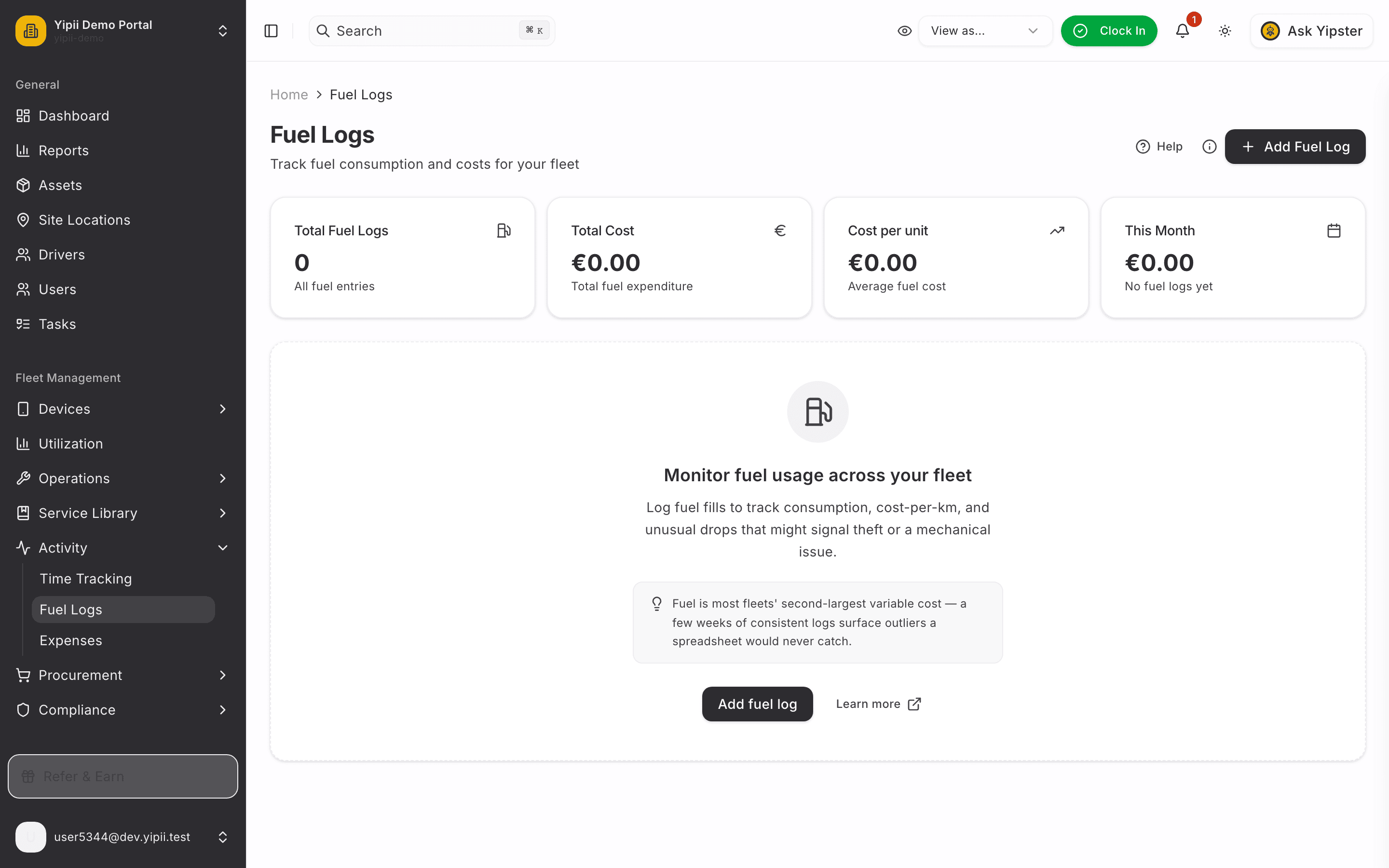
2. What went in the tank
On the Entry tab: the fuel type — Diesel, Petrol, CNG, LPG, Ethanol or Biodiesel — the litres, and when.
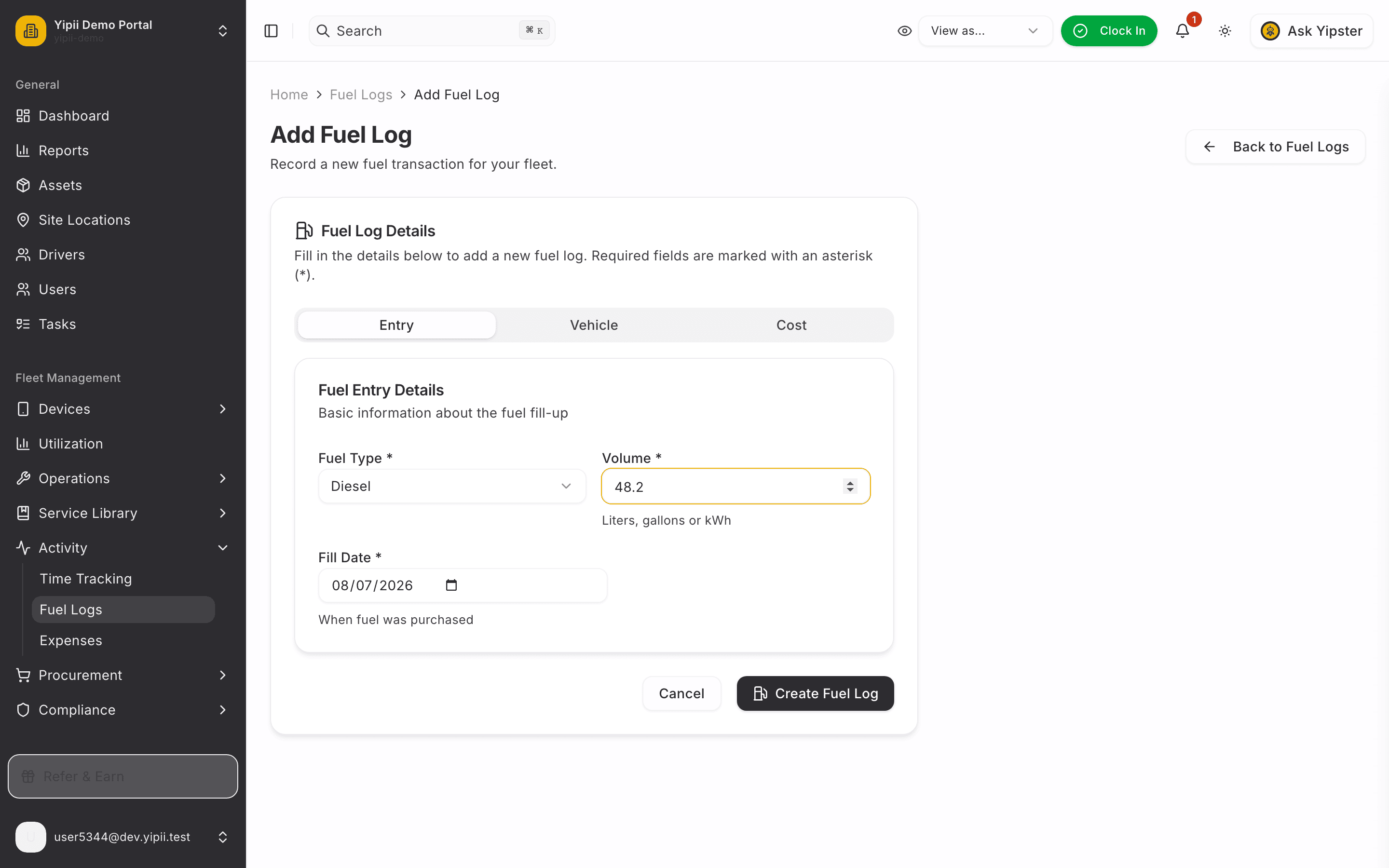
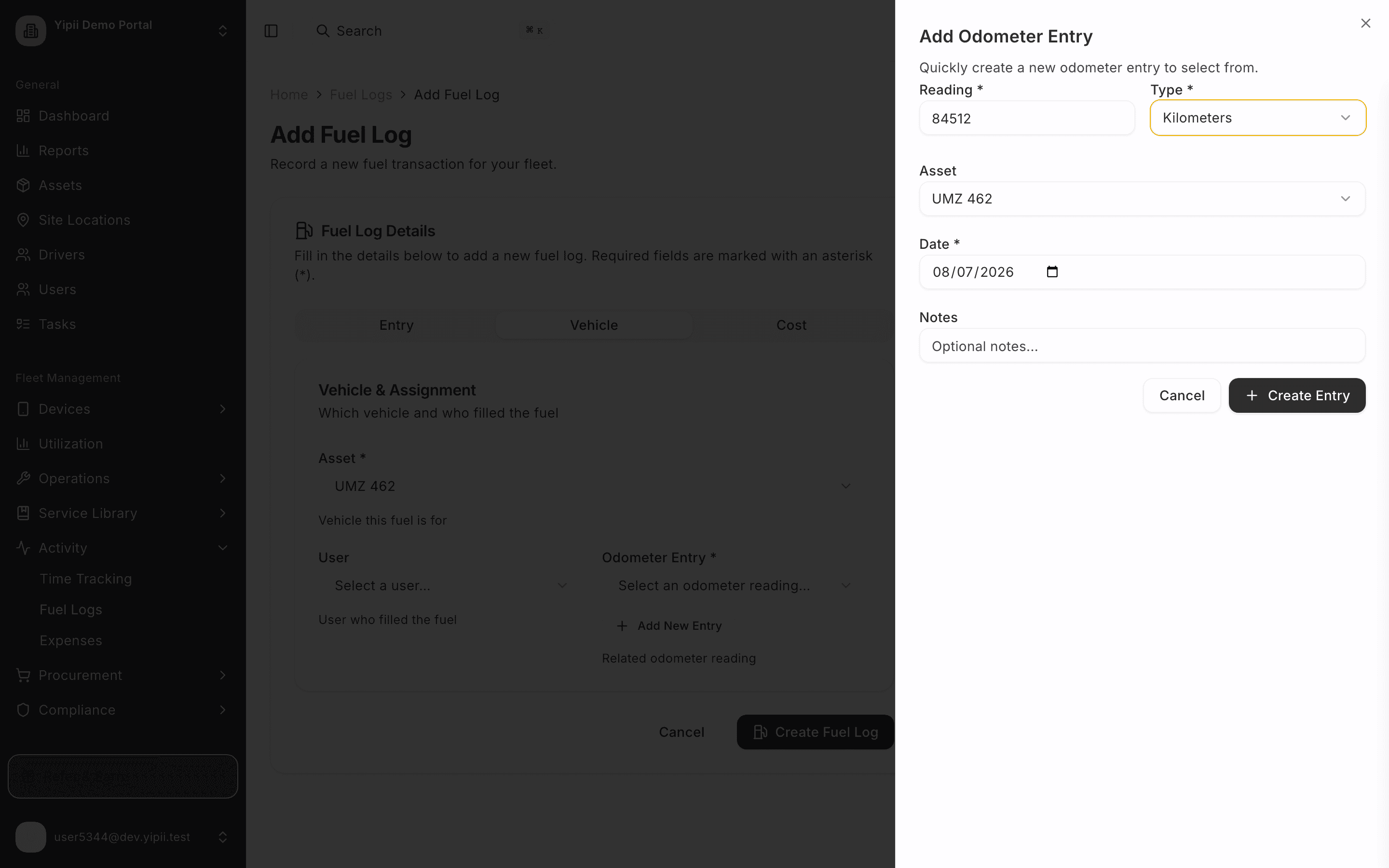
3. The vehicle — and the odometer, right there
On the Vehicle tab, pick the van, then capture the odometer without leaving the form: Add New Entry opens an inline sheet — reading, unit, done. Every fill-up carries a meter reading, so consumption and cost-per-kilometre calculate from real data.
The reading you capture here feeds the same meter history that powers service schedules — one entry, two jobs.
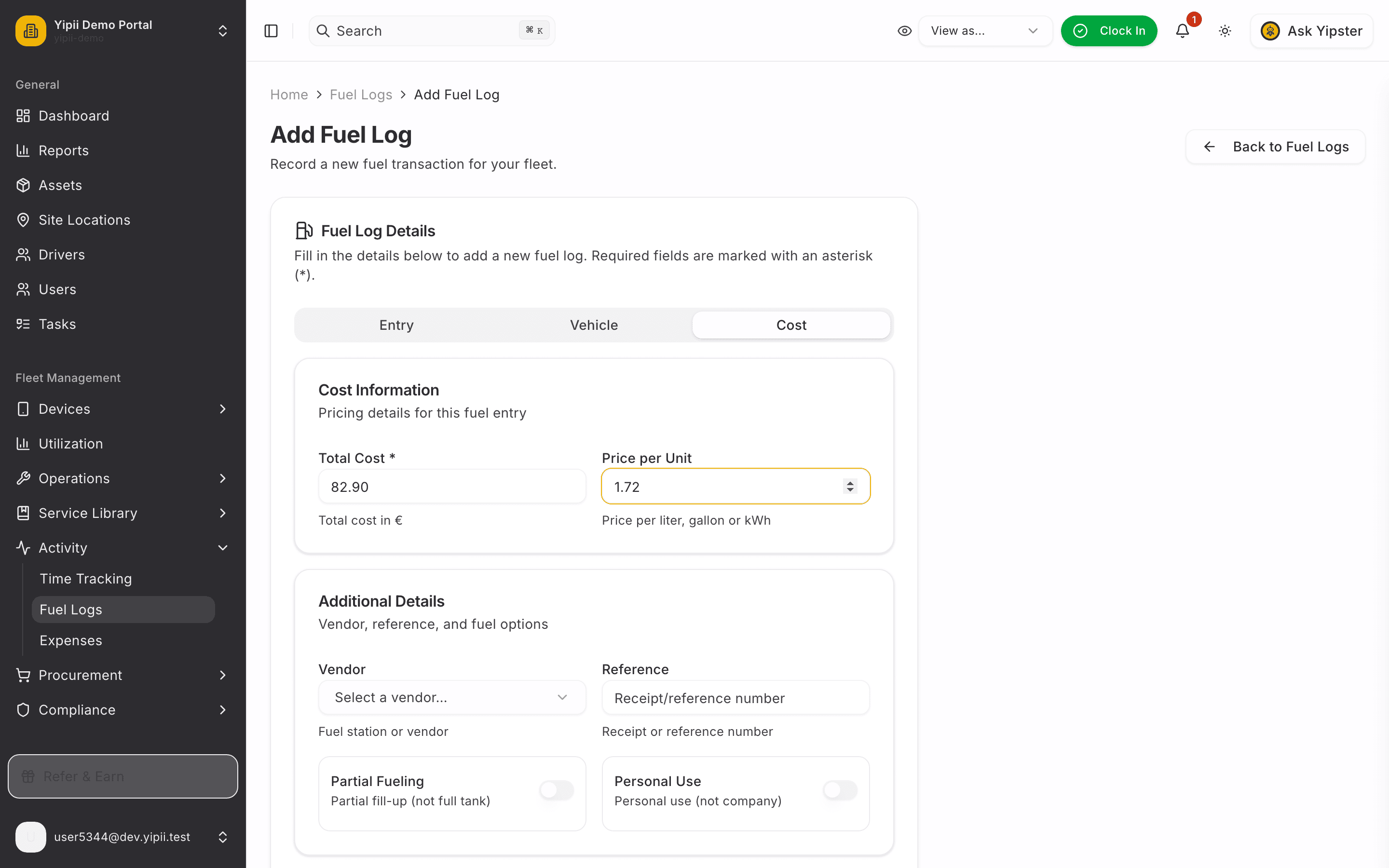
4. What it cost
On the Cost tab: the total from the pump and the price per litre. The vendor is optional — add the station if you track spend by supplier.
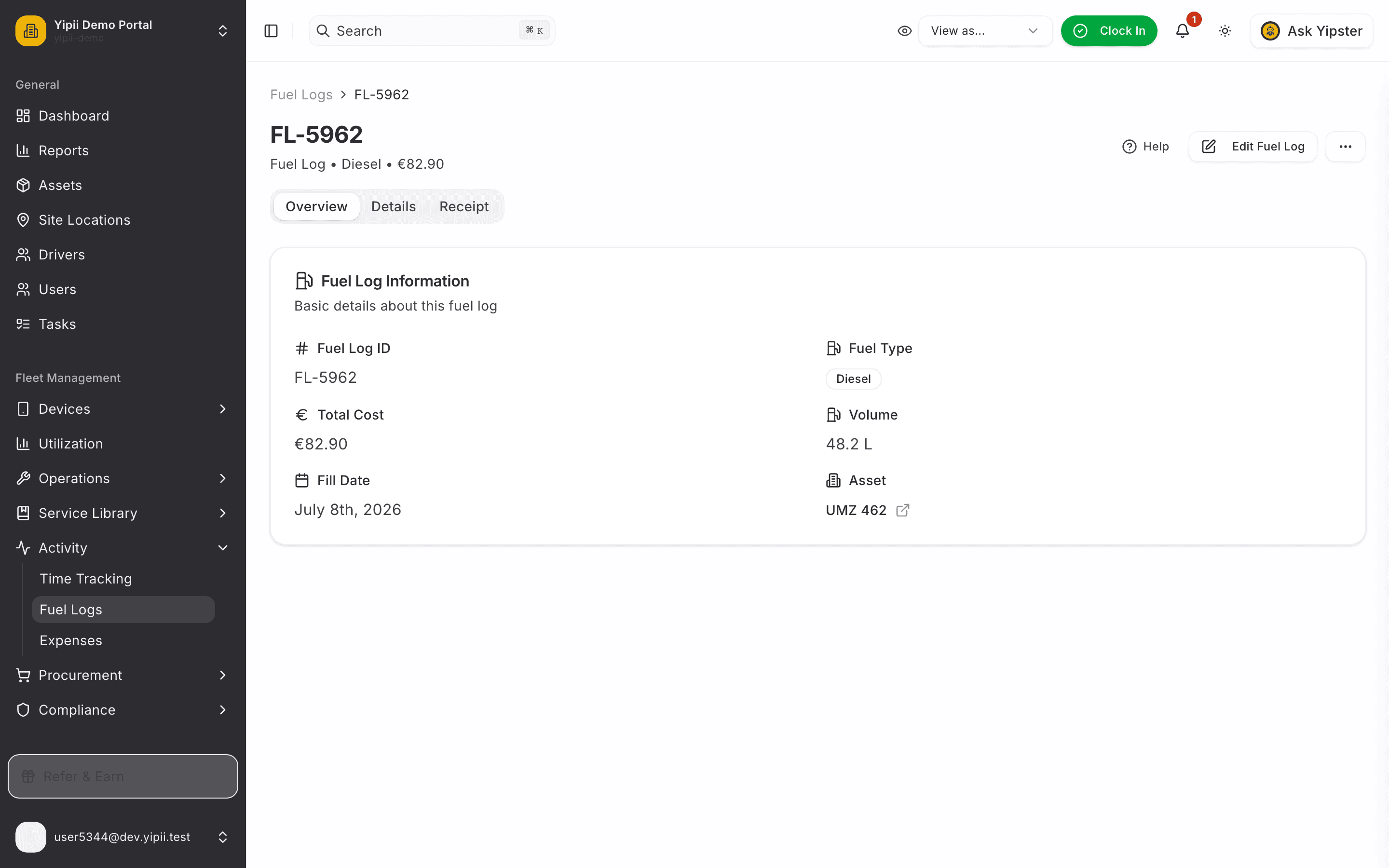
5. Saved — the record in one view
The fuel log lands with everything attached: fuel type, volume, cost and date, linked to the vehicle and the odometer reading.
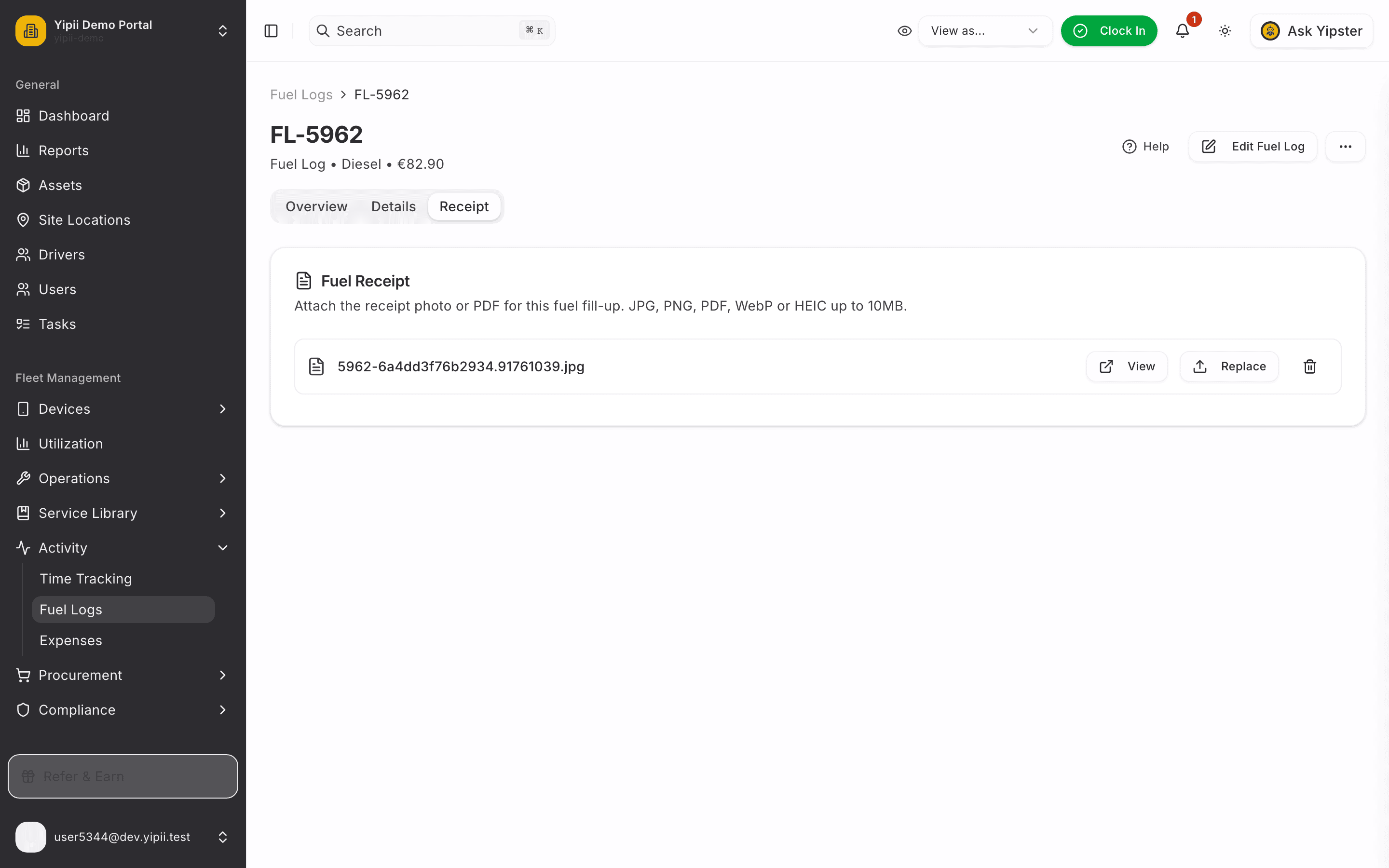
6. Attach the receipt
On the Receipt tab, upload the receipt photo or PDF — accounting will thank you at month end.
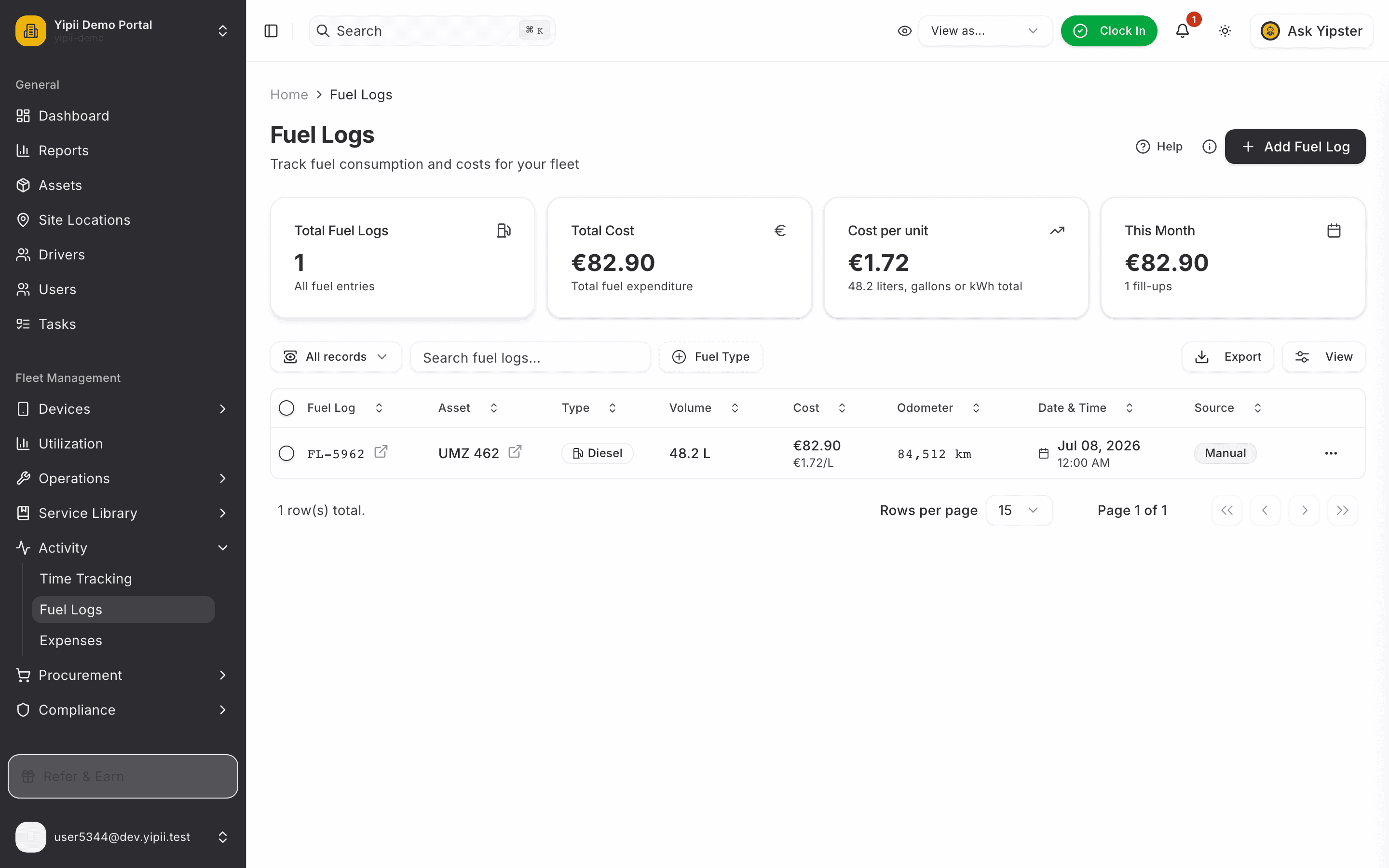
7. On the board
Back on Fuel Logs, the fill-up is part of the fleet's fuel history — filterable, exportable, and feeding the fuel efficiency and operating cost reports.
What you ended up with
- A complete fuel record: 48.2 L of diesel, €82.90, on the right vehicle with the receipt attached.
- A fresh odometer reading captured inline — feeding consumption maths and the preventive maintenance clock alike.
- Fuel history that adds up: every entry flows into fuel efficiency and operating-cost reporting.
Litres go in, numbers come out — as long as the habit sticks. This is the sixty-second version of the habit.