

School transport
Parents watch the bus on a link instead of ringing the office. Live tracking, arrival alerts and route timetables for school transport operators.
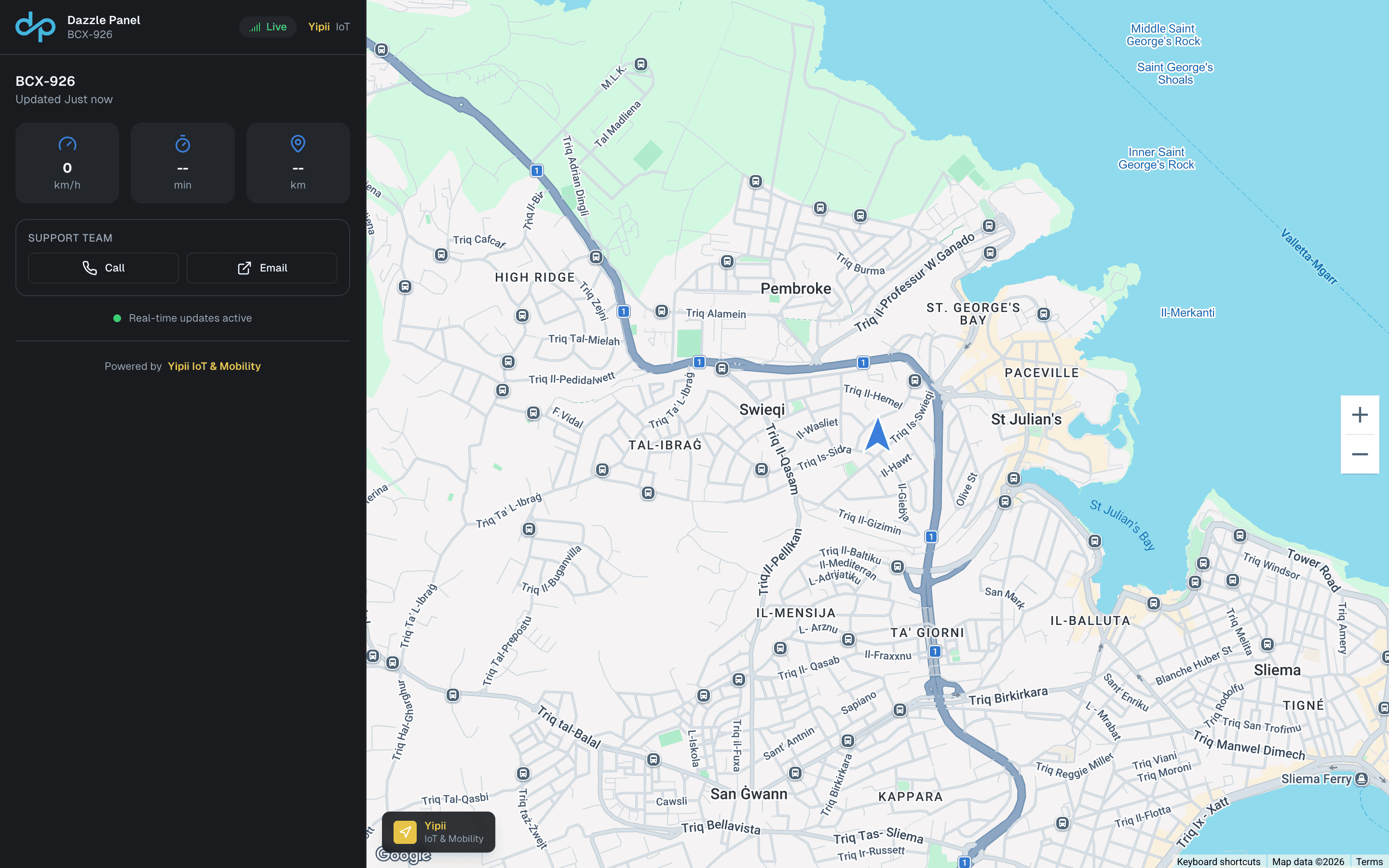
Geofences around each school turn arrivals into timestamps:
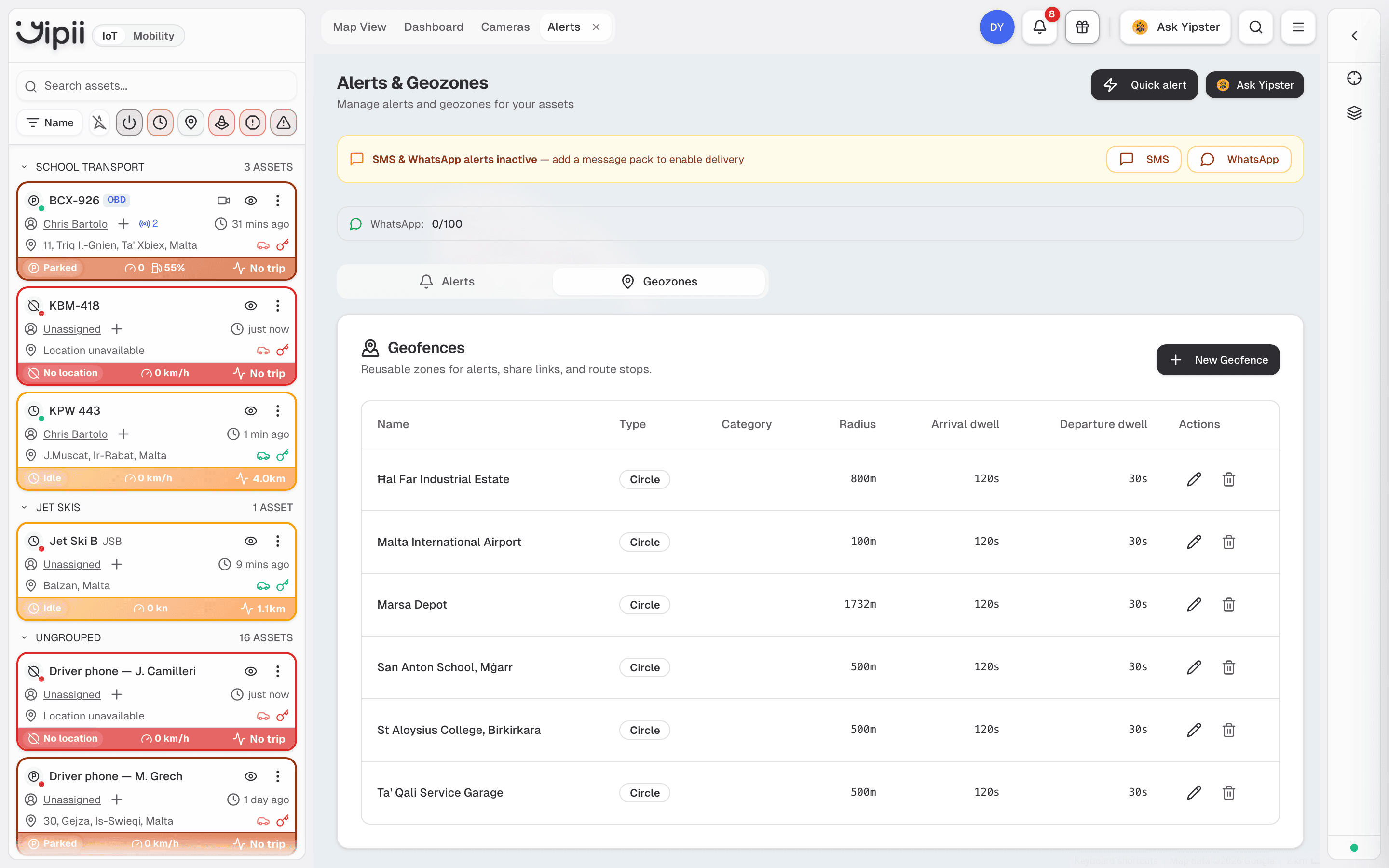
Give parents peace of mind with real-time school bus tracking. Yipii IoT helps schools and transport operators provide visibility, improve safety, and streamline communications.
The Challenge
School transport faces unique challenges:
- Parents worry when buses are late
- Schools receive constant calls asking "where is the bus?"
- Route changes are hard to communicate quickly
- Driver accountability and safety monitoring
- Managing multiple routes across different schools
The Yipii IoT Solution
Parent Tracking App
Keep parents informed:
- Real-time bus position on their phone
- Estimated arrival time updated live
- Push notifications when bus is approaching
- Route history to see if bus passed their stop
- No app required - works in any web browser
Route-Based Tracking Links
Simplify tracking for schools:
- One link per route that parents save
- Dynamic vehicle assignment - same link works when bus changes
- Daily assignment - swap vehicles without updating parents
- Time-based access - only active during school hours
School Administrator Dashboard
Complete visibility for schools:
- All routes on one map - see entire fleet
- On-time performance metrics
- Driver behavior monitoring
- Incident reports with GPS evidence
- Attendance integration options
Driver Safety
Ensure safe transport:
- Speed alerts for school zone violations
- Route adherence monitoring
- Stop verification with geofences
- Emergency alerts for unusual events
Key Features for School Transport
| Feature | Benefit |
|---|---|
| Parent tracking links | Reduce anxiety and phone calls |
| Route management | Assign buses to routes daily |
| Stop geofences | Verify all stops are made |
| Speed monitoring | Ensure safe driving near schools |
| Automated notifications | Bus approaching alerts |
| Attendance time | Verify pickup/dropoff times |
| Multi-school support | Manage all routes centrally |
How Route-Based Tracking Works
Setup (Once)
- Create routes (e.g., "Route 7 - Morning", "Route 7 - Afternoon")
- Generate tracking links for each route
- Distribute to parents with their child's route number
Daily Operation
- Assign bus to route each morning (takes 30 seconds)
- Parents use same link they always use
- Link shows today's bus automatically
- Reassign easily if bus changes mid-route
For Parents
- Save the link to home screen
- Check bus location anytime during route
- Get ETA to their stop
- No app download needed
What it's worth
The value here is mostly reputational rather than financial, which is harder to put a number on. What can be costed:
| Lever | Assumption | Annual effect |
|---|---|---|
| "Where is the bus" calls | 15/morning × 2 min during term, €14/h | €2,300 |
| Route reporting automated | 4 h/month of manual reporting, €18/h | €860 |
| One avoided missed pick-up | Reputational cost of a single incident | Hard to price, easy to remember |
Illustrative calculations, not measured customer outcomes. The reason schools buy this is usually the incident that did not happen.
Safety Features
Speed Monitoring
- Configure speed limits for different zones
- Instant alerts for violations
- Daily reports for management
- Driver coaching based on data
Route Adherence
- Define expected route path
- Alert if driver deviates
- Historical review of all trips
- Evidence for parent inquiries
Stop Verification
- Geofence each stop location
- Timestamp arrival and departure
- Verify all stops were made
- Identify stops that were skipped
Emergency Response
- Know exact bus location in emergencies
- Share location with first responders
- Historical data for incident investigation
- Parent notification capabilities
Implementation Guide
Week 1: Setup
- Install GPS trackers on all buses
- Create routes in the system
- Set up stop geofences
- Configure alerts
Week 2: Testing
- Run routes with tracking active
- Verify accuracy of tracking
- Test parent link experience
- Train drivers and staff
Week 3: Rollout
- Distribute links to parents
- Launch with communication campaign
- Monitor adoption and feedback
- Fine-tune alert settings
Ongoing
- Daily route assignments
- Weekly performance review
- Monthly reports to administration
- Annual route optimization
Frequently Asked Questions
Do parents need to download an app?
No. Tracking links work in any web browser. Parents can save the link to their home screen for easy access.
What if a different bus runs the route?
Simply reassign the route to a different bus in the dashboard. Parents' links automatically show the new bus.
Can we limit when parents can track?
Yes. Set time windows for each route. Links only show tracking during school transport hours.
How do we handle multiple children on different routes?
Parents get a separate link for each route. They can save both to their home screen.
What data is visible to parents?
Parents see: bus position, speed, heading, estimated arrival. They do not see: driver name, other routes, historical data, or alerts.
Privacy and Compliance
- GDPR compliant - No personal data shared unnecessarily
- Parent consent - Opt-in tracking only
- Data retention - Configurable per school requirements
- Access controls - Parents only see their route
Get Started
Bring peace of mind to parents:
- Start free trial - Test with 1-2 buses
- Request school demo - See features for education
- Contact us - Discuss your requirements
Yipii IoT helps schools and transport operators provide safe, transparent school transportation with real-time GPS tracking.
Was this page helpful?