

Check one vehicle's day
Daily Activity: one vehicle's distance, trips, idling and every stop for a day, with nothing to build.
Daily Activity answers "what did this van do yesterday?" without building a report: one vehicle, one day, every drive and every stop.
Before you start — Daily Activity covers the last 30 days. For older dates, or for a file to keep, run a report instead.
Steps
Go to Reports and click Daily Activity. On a phone, Reports opens on it unless your account has Yipii Mobility.
Click Select vehicle… (1), type part of the name or plate — Hotel — and choose the vehicle.
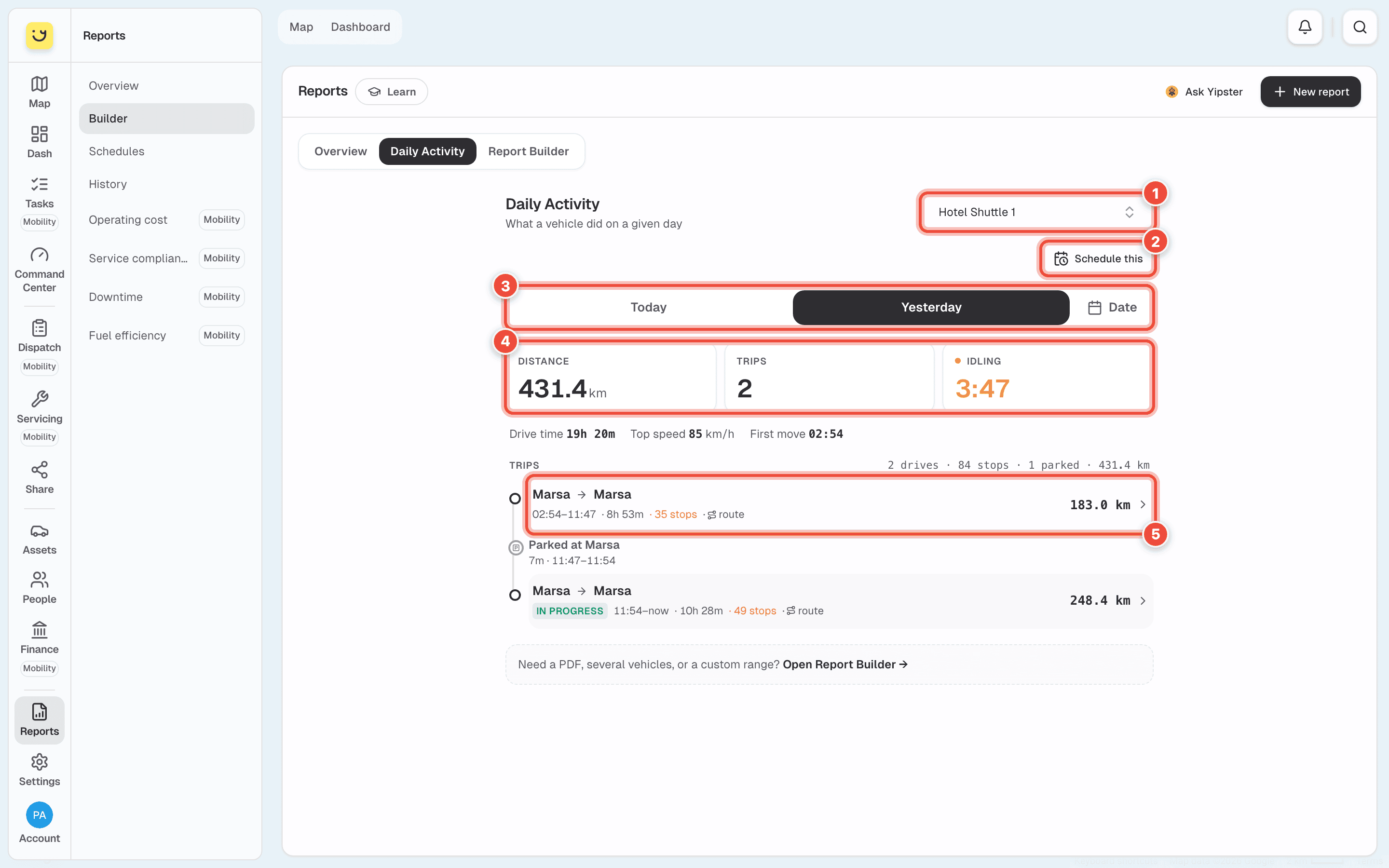
Choose Today or Yesterday (3), or click Date for another day in the last 30.
What happens next
The day appears straight away:
- The totals (4) — distance, number of trips and time spent idling. Under them: drive time, top speed and the time of the first move.
- The trips (5) — each drive from place to place, with its times and distance, and the time parked between drives. Click a drive to see its route on a map.
Schedule this (2) opens a new email schedule with this vehicle already filled in. See Email a report on a schedule.
If it doesn't work
| Symptom | Cause | Fix |
|---|---|---|
| The page says Select a vehicle | No vehicle is chosen yet | Choose one at the top right |
| The day you want cannot be picked | It is more than 30 days ago | Run a Trip report in the Report Builder |
| The day is empty | The vehicle did not move, or its tracker was not reporting | Check the vehicle on the map |
| Idling looks high | The engine ran while the vehicle stood still — loading, waiting, keeping the cab warm | Run Stops & Idling to see where it happened |
Related
- Run a report — more than one day, or a file to keep.
- Read and download a report — a Trip report for the same dates.
Was this page helpful?