

Yipster settings
How many questions Yipster has left this month, what counts as a question, Yipster's plan, WhatsApp, and — for admins — how Yipster is used and what it costs.
Settings › Yipster is about Yipster, the assistant you ask about the fleet. The questions are shared by everyone on the account, so this page answers "how many have we got left?".
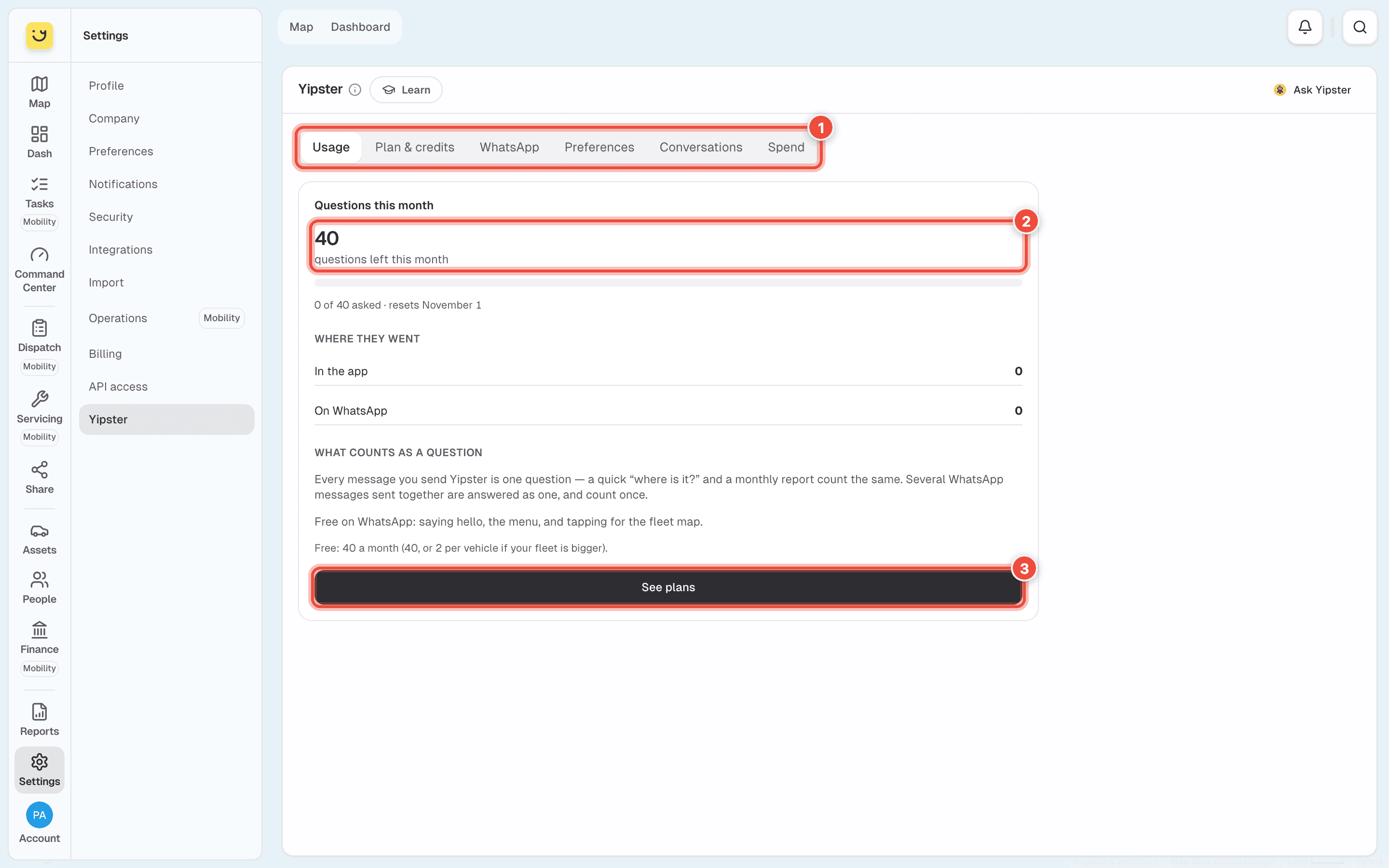
- The tabs — Usage, Plan & credits, WhatsApp and Preferences for everyone. Account admins also see Conversations and Spend: how Yipster is used, and what it costs.
- Questions this month — how many are left, how many were asked, and the day the count starts again (the 1st of the month). Where they went splits them between the app and WhatsApp.
- See plans — more questions a month, on Plan & credits.
What counts as a question
Every message you send Yipster is one question: a quick where is it? and a monthly report count the same. Several WhatsApp messages sent together are answered as one, and count once. Saying hello, the menu and tapping for the fleet map on WhatsApp are free.
The free allowance is 40 questions a month, or 2 per vehicle if the fleet is bigger than 20.
If it doesn't work
| Symptom | Cause | Fix |
|---|---|---|
| Yipster says the questions have run out | The account used this month's allowance | Wait for the 1st, or choose a plan under See plans |
| There's no Spend or Conversations tab | Only account admins see them | Ask an account admin |
| Yipster doesn't answer on WhatsApp | Your number isn't linked | Link it under Settings › Notifications › WhatsApp — see Choose your notifications |
Related
Was this page helpful?