

Change someone's role, or deactivate them
Change what a person can do in your account, edit their name and phone, stop their access for a while with Deactivate, or remove them for good.
Everything about one person is on their page: their role, their details, the driver app, and stopping their access when they leave.
Before you start — you need to be an account admin or a fleet manager. You cannot change your own role.
Steps
Go to People → Team & seats and click the person — Kevin Farrugia.
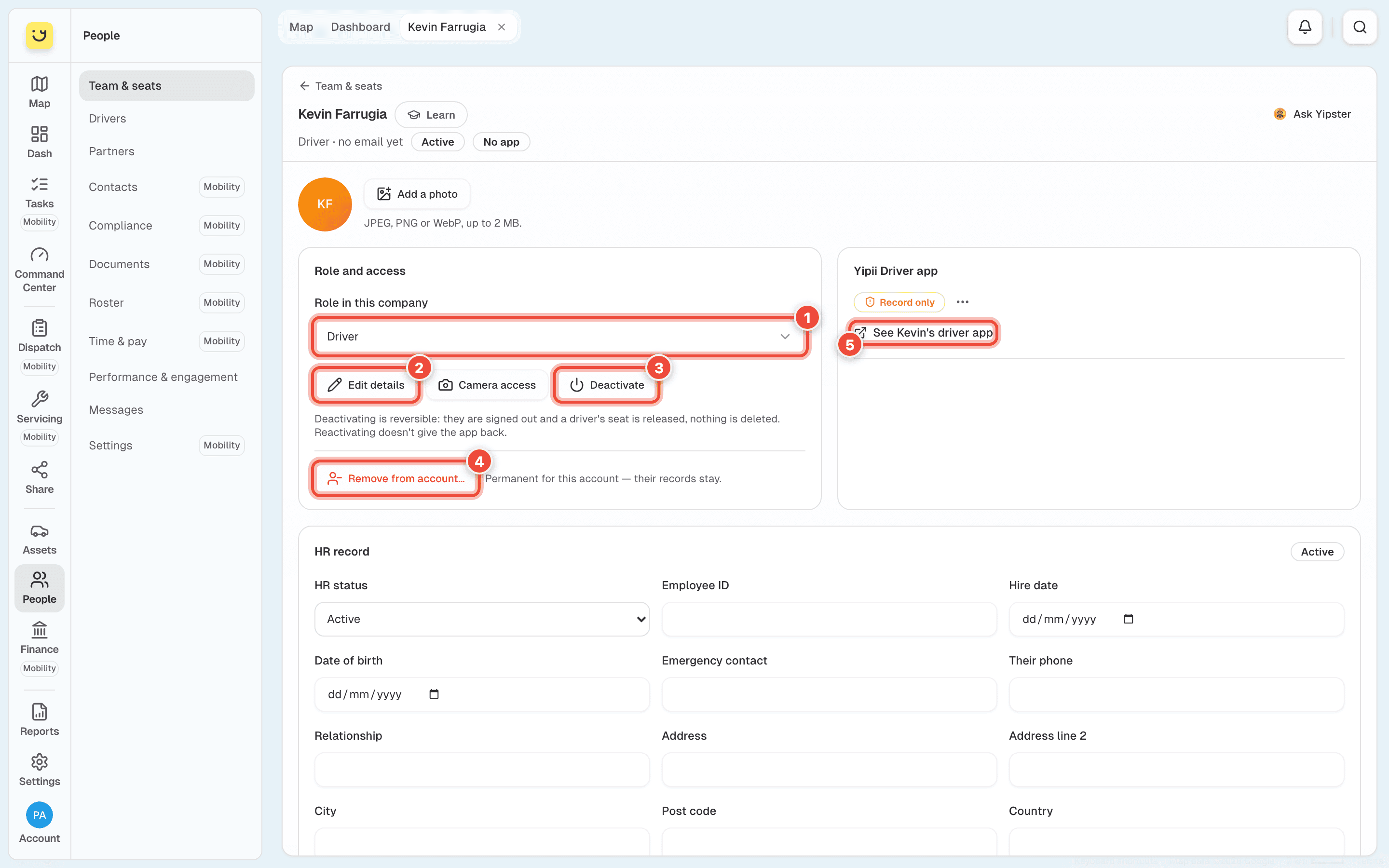
Under Role in this company (1), choose the new role. The roles are listed in Invite someone to your account.
Yipii asks before it changes anything (1). Check the sentence, then click Change role (2). Making someone an Admin or a Fleet Manager asks with Make Admin or Make Fleet Manager instead, and says what they will be able to do.
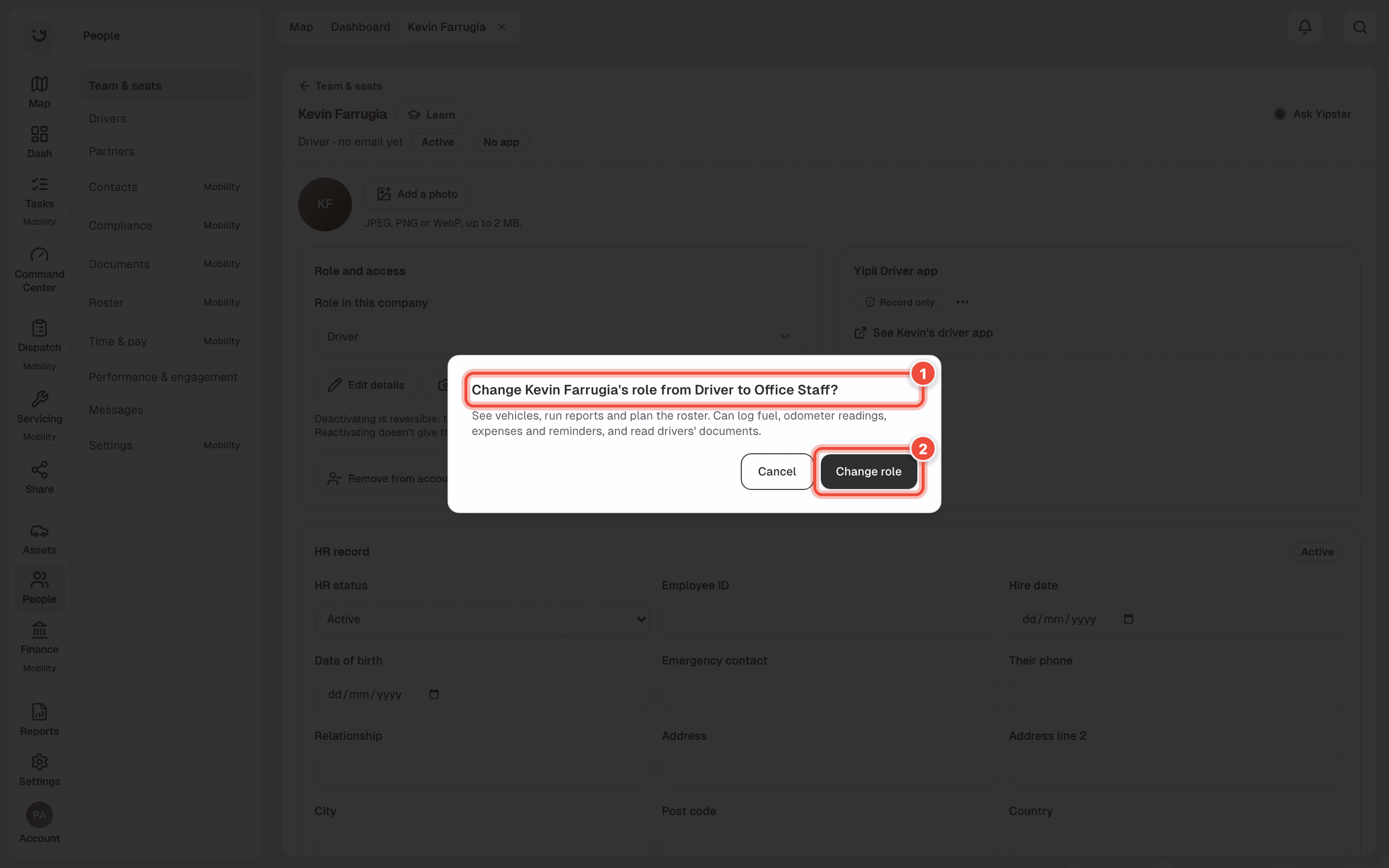
Yipii says Role changed. and the role under their name changes at once. Cancel leaves the role as it was.
Change their name, email or phone
Click Edit details on their page — (2) in the first picture. Changing the email asks them to verify the new address before they can sign in with it.
Stop their access
- Deactivate — (3) in the first picture. They are signed out and a driver's seat is released. Nothing is deleted, and Reactivate brings them back. Reactivating does not give the driver app back; give it again when they need it.
- Remove from account… — (4) in the first picture. It is permanent for this account. They lose access at once and their role and seat go with it. Their trips, documents and HR record stay. Only an account admin sees this button.
To deactivate several people at once, tick their rows on Team & seats and click Deactivate in the bar that appears.
Drivers
A driver's page also has the Yipii Driver app card. See Kevin's driver app — (5) in the first picture — opens the app as the driver sees it, in a new tab. Further down are their HR record, Licences, Documents, the Vehicle they drive and their Tags.
What happens next
A new role applies the next time they open a page. Someone made a Driver has no driver app until you give it — see Add a driver and give them a vehicle.
If it doesn't work
| Symptom | Cause | Fix |
|---|---|---|
| The role box is greyed out | It is your own page, or your role cannot change roles | Ask another admin |
| Platform Admin (Yipii staff) — not changed here. | The person is Yipii support staff | Nothing to do. Their access is not part of your account |
| Remove from account… is not there | Only account admins can remove people, and never themselves | Ask an admin, or use Deactivate |
| A deactivated driver still shows on the roster | They have shifts in the week shown | Remove those shifts on the roster |
| Camera access opens Cameras | Who may watch which camera is set per person in Cameras → Privacy | Set it there |
Related
Was this page helpful?