

Change a vehicle's plate, make, model or year
Correct a vehicle's plate, VIN, make, model or year from its Command Center: Manage vehicle, Vehicle details, Edit, Plate and details.
A vehicle's plate, VIN, make, model and year live on its vehicle record, and you change them from its Command Center. Do it when a van is re-registered, or when the make and model were never filled in.
Before you start — you need to be an account admin or a fleet manager.
Steps
Go to Assets → All assets, find the vehicle (search HTL 501) and click Open.
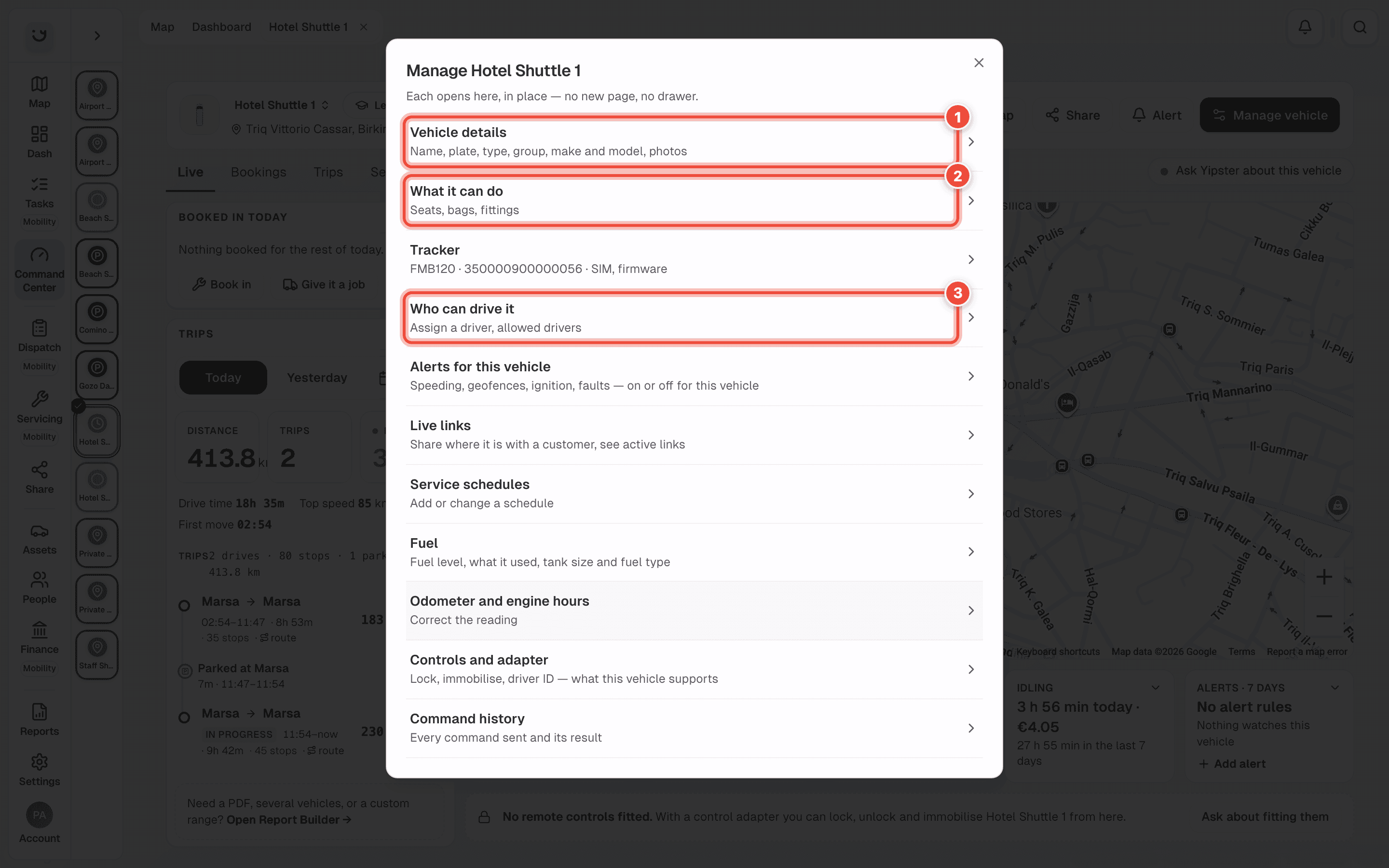
Click Manage vehicle at the top of the Command Center. On a phone the button says Manage.
Click Vehicle details (1). The same list has What it can do (2) and Who can drive it (3), covered in Say what a vehicle can do and Assign a driver to a vehicle.
Click Edit. The Edit vehicle window opens with Plate and details at the top (1).
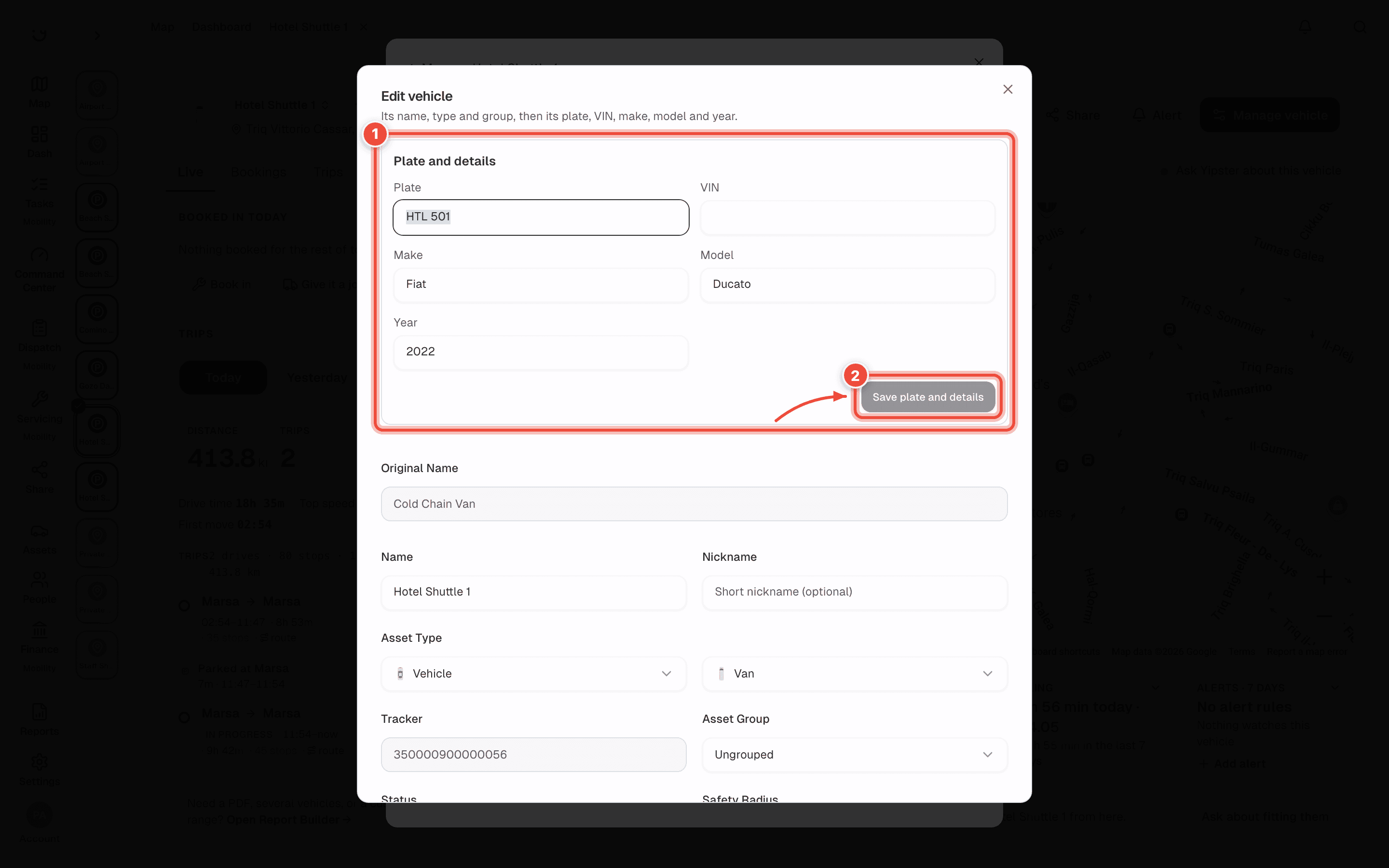
Change Plate, VIN, Make, Model or Year. Year is four digits, such as
2022. A VIN is at most 17 characters.
Click Save plate and details (2). It stays greyed out until something in the box has changed.
The rest of the Edit vehicle window — name, type, group and status — saves separately, with Update Asset at the bottom. Save plate and details saves only the box.
What happens next
Yipii says Plate and details saved, and the new plate shows in the Command Center and on All assets. Only the fields you changed are sent. A field you empty is cleared from the record.
If it doesn't work
| Symptom | Cause | Fix |
|---|---|---|
| There is no Plate and details box | The asset has no vehicle record to hold a plate | If it is a road vehicle that should have one, contact Yipii support |
| Four digits, e.g. 2021. shows under Year | The year is not four digits | Type the full year |
| Save plate and details stays greyed out | Nothing in the box has changed, or a field shows a problem in red | Change a field, or fix the one in red |
| It would not save, and an error message showed | The vehicle belongs to another account and is shared with yours to view only | Ask the account that owns it to make the change |
| The name, type or group did not change | Those save with Update Asset, not with Save plate and details | Click Update Asset at the bottom of the window |
Related
- Rename a vehicle, or change its group, type or fleet status — quicker, from the list.
- Assets — how to find a vehicle and open its Command Center.
Was this page helpful?