

Draw a geofence
Save a place as a circle or a polygon in Geozones, so alerts, share links and clock-in can use it; import places, or save a public one.
A geofence is a place you have drawn on the map — a depot, a client's yard, a school gate. The app calls them Geozones. Alerts use them ("tell me when a van arrives"), and so do share links and the places drivers may clock in.
Before you start — you need to be an account admin or a fleet manager.
Steps
Go to Alerts › Geozones.
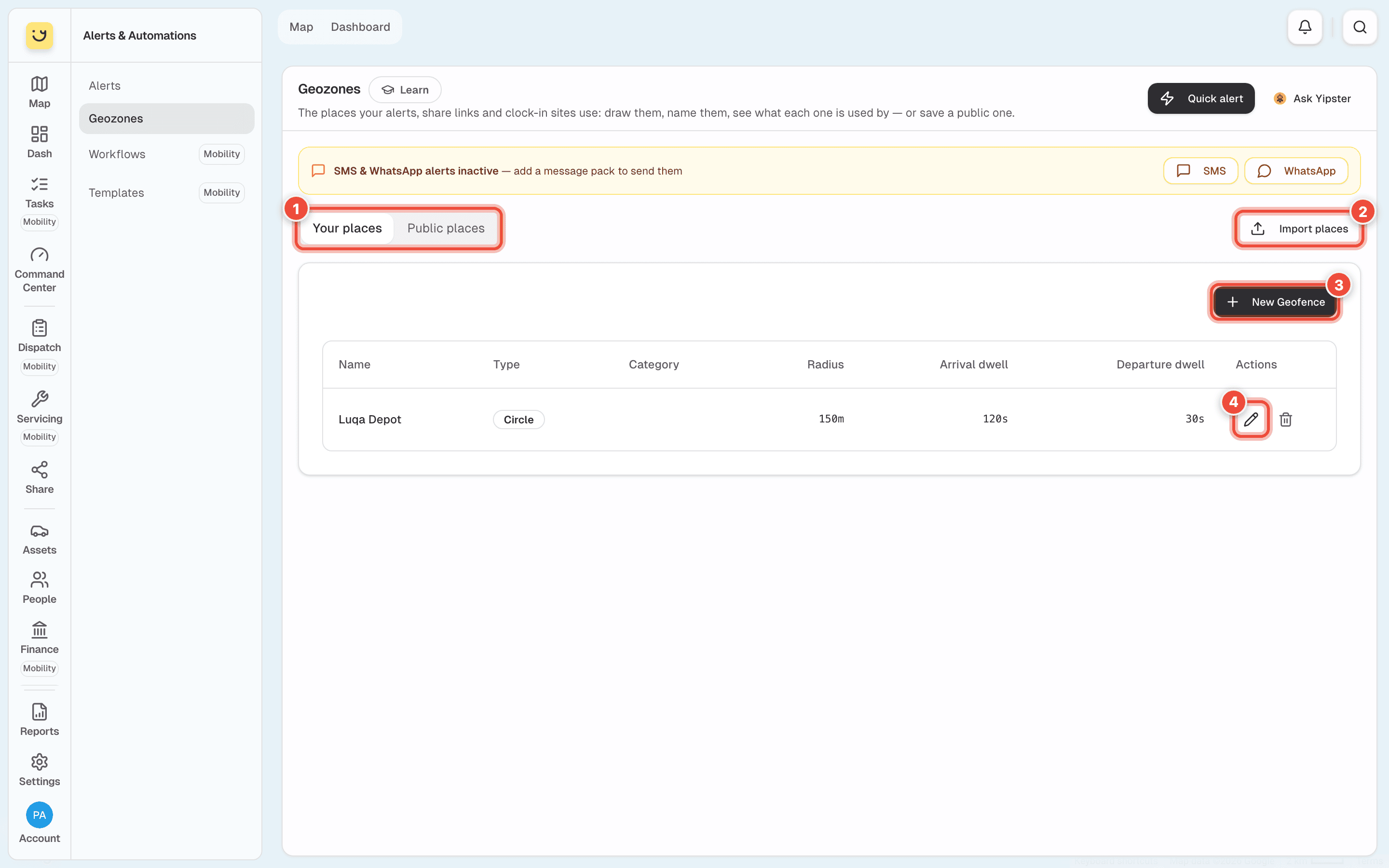
Your places (1) are the ones you saved. Public places lists well-known places — hospitals, schools, ports — that you can save to your list instead of drawing them. Import places (2) adds many at once from a file. The pencil (4) changes a place — here, Luqa Depot; the bin beside it deletes it.
Click New Geofence (3).
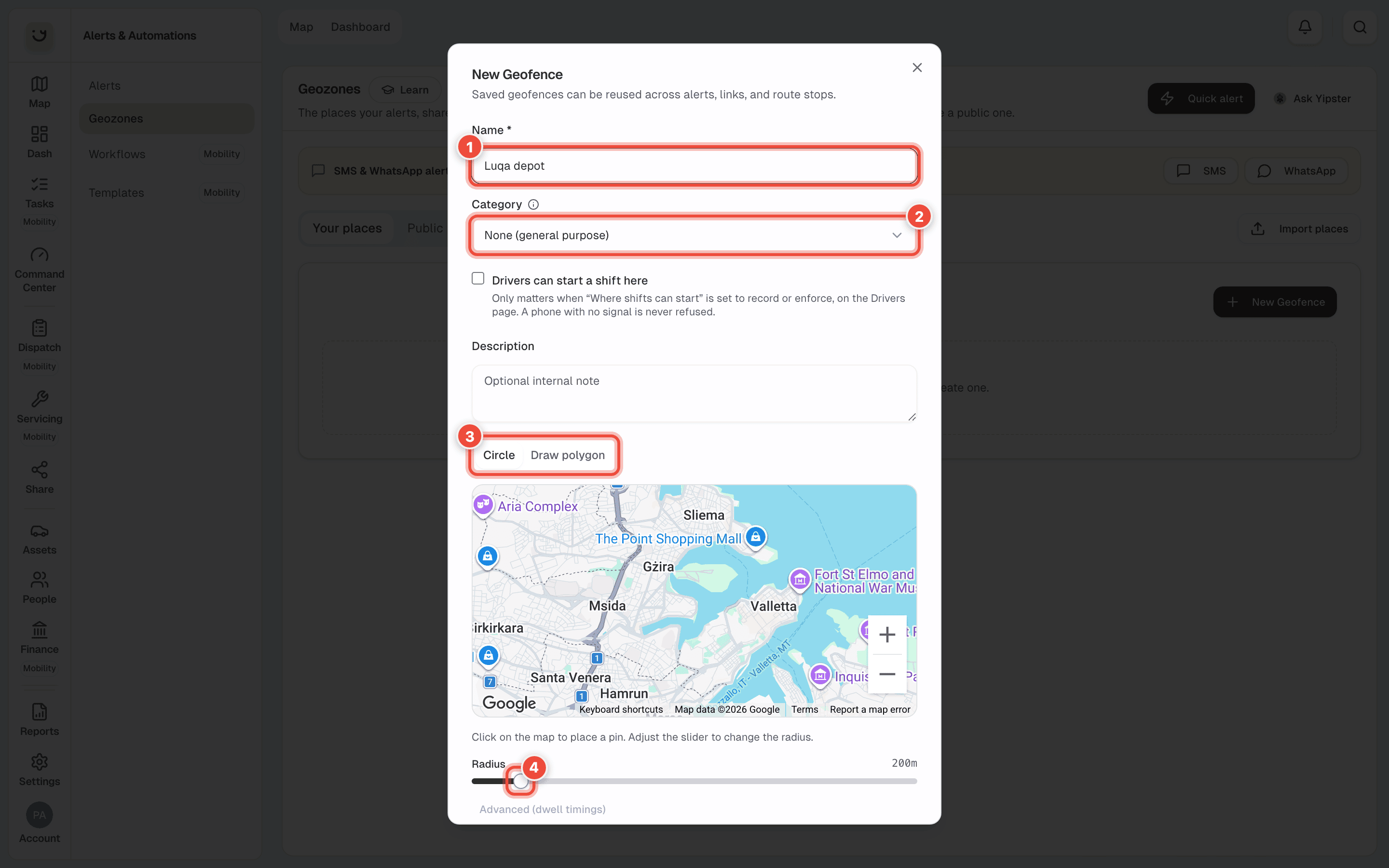
Type a Name (1) people will recognise — Luqa depot.
Choose a Category (2) if it helps, or leave None (general purpose). Tick Drivers can start a shift here if drivers clock in at this place.
Choose the shape (3). With Circle, click the map to drop the pin, then drag Radius (4). With Draw polygon, click round the edge of the site. A polygon suits a long or odd-shaped site, such as a quay.
Click Create Geofence.
Arrival and departure timing
Advanced (dwell timings), under the map, sets how long a vehicle must be inside before it counts as arrived, and outside before it counts as left. Your places start at 120 seconds to arrive and 30 to leave — the Arrival dwell and Departure dwell columns. The wait stops a van driving past the gate from counting as a visit.
What happens next
The place is in Your places, and you can choose it in an alert's Geozone box — Entered Geozone or Left Geozone — in a quick alert, or on a share link.
If it doesn't work
| Symptom | Cause | Fix |
|---|---|---|
| A van passing the gate counted as a visit | The circle is too big, or the arrival wait is short | Make the circle smaller, or raise the arrival time under Advanced (dwell timings) |
| Arrivals are reported late | The arrival wait is long | Lower it under Advanced (dwell timings) |
| The place isn't offered in an alert | It is in Public places, not yours | Save it to Your places first |
Related
- Set up an alert
- Quick alerts and alerts for one vehicle
- Geofences — sizing a geofence so it doesn't give false alerts.
Was this page helpful?