

Add a contact
Add a client, supplier, subcontractor or affiliate — a company or a person — with their email, phone, VAT number and payment terms.
Contacts are the people and companies you deal with: the hotel that books transfers, the garage that services your vans, the agent who sends you work. One contact can be several of these.
Before you start — you need Yipii Mobility on your account, and to be an admin, fleet manager or office staff.
Steps
Go to People → Contacts and click New contact.
Under Type (1), choose Company or Individual. Type the Company name (2) — or
Full name for a person — Sliema Shore Hotel. Search finds the contact by this name.
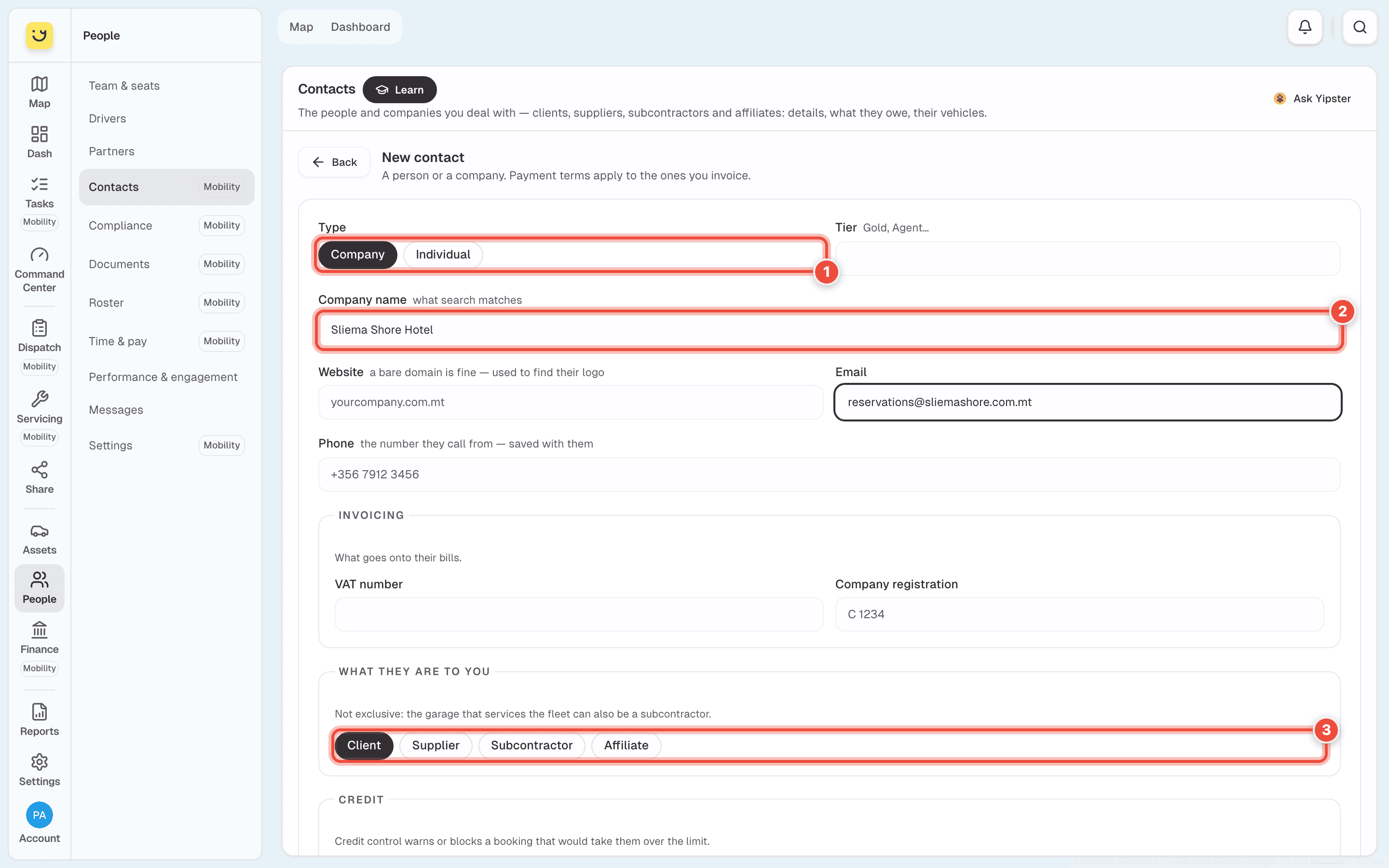
Add their Email and Phone. The phone is the number they call from, so a booking taken on a call finds them.
Under What they are to you (3), tick every one that applies: Client, Supplier, Subcontractor or Affiliate. An affiliate also gets a Commission rate (%).
For a company you invoice, fill in VAT number and Company registration. Under Credit,
set Payment terms (days) — 30 — and, if you like, a Credit limit (€) and a
Standing discount (%).
Click Create contact, at the bottom.
What happens next
The contact's page opens, and they are listed on People → Contacts. The tiles count Clients, Companies and Affiliates, and Owe you totals what customers owe on open bills. A client can now be picked when you take a booking.
To change a contact, open the ⋮ menu on its row and click Edit.
If it doesn't work
| Symptom | Cause | Fix |
|---|---|---|
| Create contact stays grey | The name is empty | Type a Company name or Full name |
| Searching a phone number finds nothing | Search matches names, emails, VAT and registration numbers, tiers and notes — not phone numbers | Search by name instead |
| Contacts shows a page about Yipii Mobility | Your account does not have Yipii Mobility | Start a trial from that page, or ask an admin |
| A booking warns about the credit limit | The booking would take them over their Credit limit (€) | Raise the limit on their page, or leave it empty for no limit |
Related
- Add a partner and invite their drivers — companies whose drivers do your runs.
- People
Was this page helpful?